Best Markdown Apps for MacOS

YD MD opens any Markdown file as a finished document, with math, diagrams, tables and code, fully offline on your Mac.

Download for macOS

Version 1.0, 4.0 MB, macOS 13 or later

Getting Started.md

Getting Started

Welcome to YD MD. This file is rendered by the app, offline, while the page around it uses the same four themes.

Note

Math, diagrams and alerts render without a single network request.

LevelSyntaxResult
1# HeadingHeading 1
2## HeadingHeading 2
func hello() {
    print("Hello, Markdown!")
}

A whole document,
not a preview

The outline, search, zoom and export sit around the page, not on top of it. One window holds the whole file.

  • Outline. Follows the heading you are reading.
  • Search. Every match counted, next and previous.
  • Export. PDF, print, or one standalone HTML file.
  • Speed. A five megabyte file still scrolls.
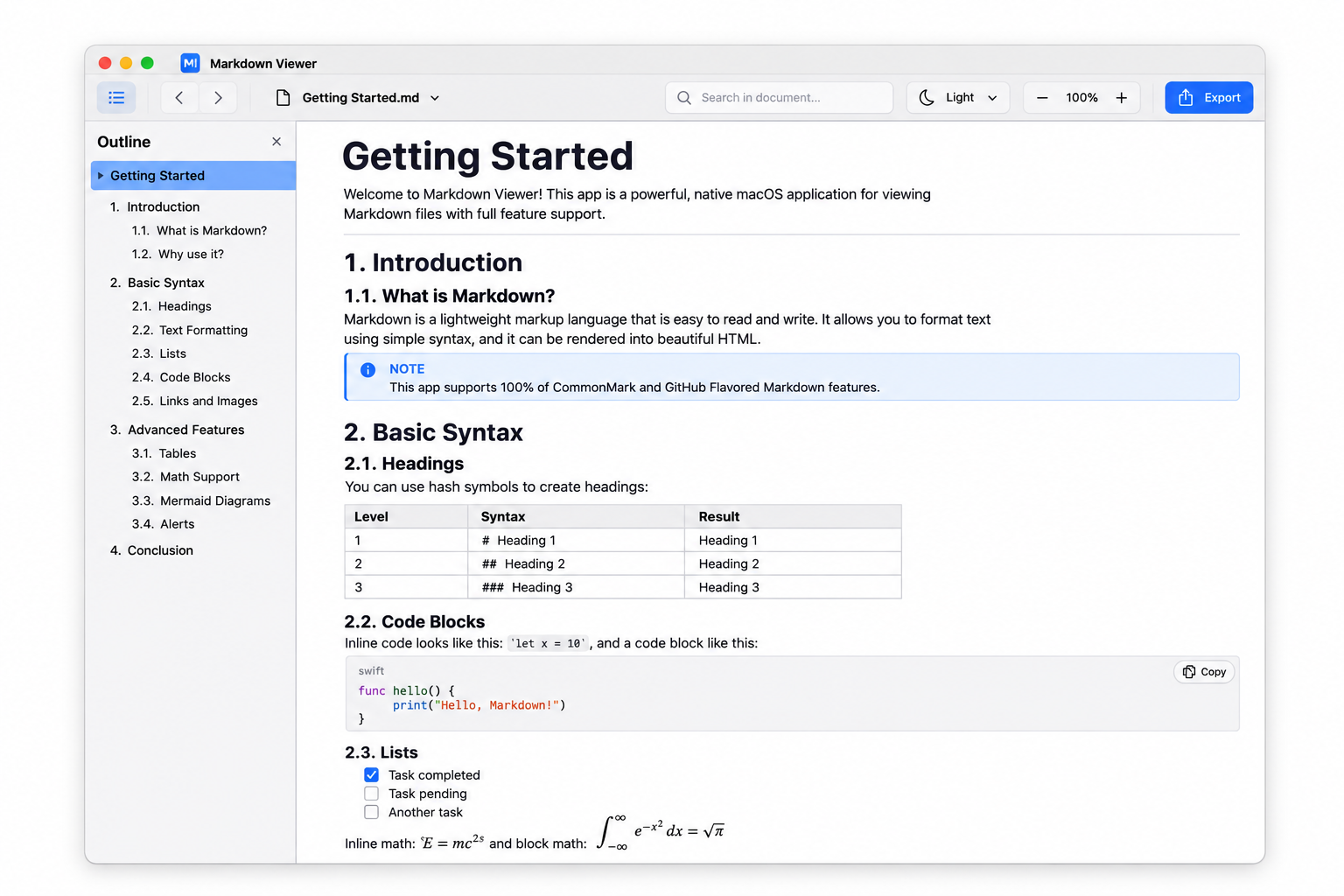
The YD MD document window showing Getting Started.md: outline in the left sidebar, toolbar with search, theme, zoom and export, then a table, a note, a code block with a Copy button, a task list and rendered math.
Getting Started.md in the GitHub theme, with the outline open. Screenshot from YD MD 1.0.

Inside the reader

The parts that matter when a file runs to a hundred thousand lines.

kitchen-sink.mdGitHub
// fenced code, highlighted locally
let renders = 652 // of 652 CommonMark examples
KaTeX Mermaid highlight.js

Everything in the file

KaTeX sets inline and block math. Mermaid draws flowcharts, sequence, class, state, ER, gantt, pie, git and mind maps. Both run locally, from files inside the app.

Tables, task lists, footnotes, definition lists, front matter and GitHub alerts arrive as they were written. Code blocks carry the language, the highlight and a Copy button.
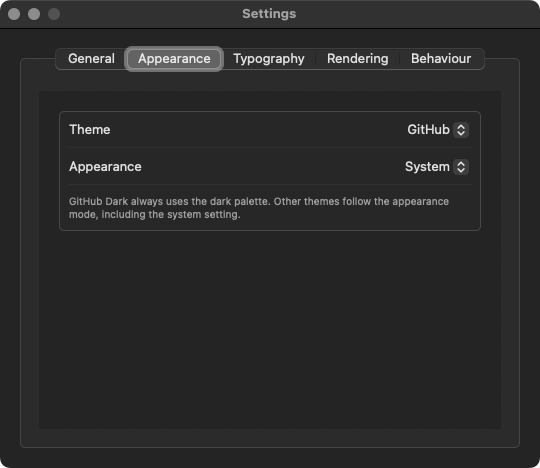
YD MD Appearance settings: theme set to GitHub, appearance set to System.
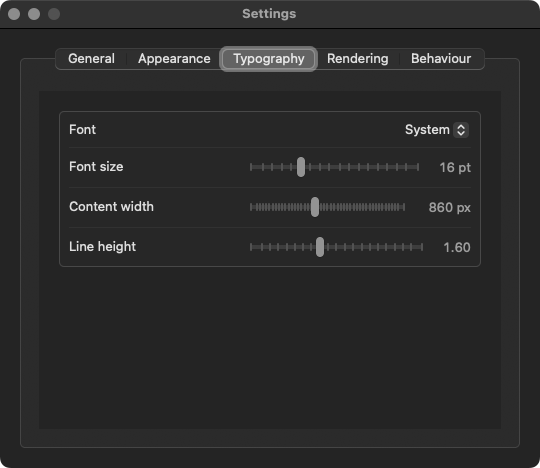
YD MD Typography settings: font, font size, content width and line height sliders.

Set the page the way you read

GitHub, GitHub Dark, Sepia and High Contrast, each one following the system or staying fixed. The control in the first screen is the same switch, applied to this page.

Font, size, content width and line height are sliders, not a config file. Every change is kept, so the next file opens the way you left the last one.

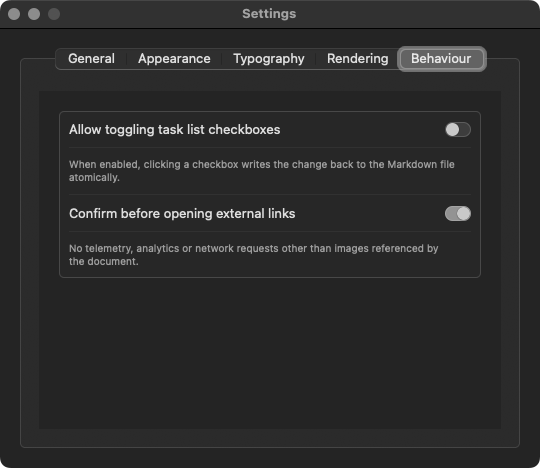
YD MD Behaviour settings: allow task list toggling and confirm before opening external links.
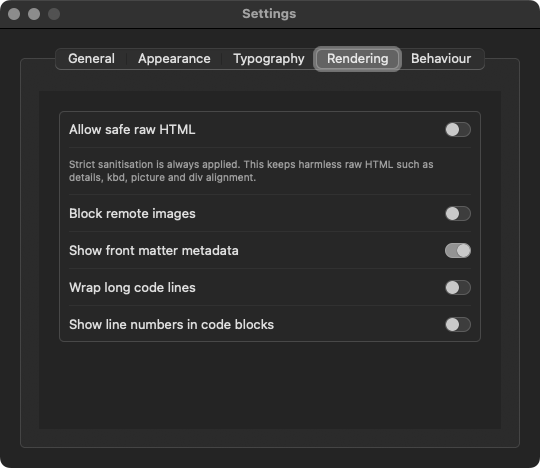
YD MD Rendering settings: safe raw HTML, block remote images, front matter metadata, wrap long code lines and line numbers.

Private by design

No telemetry, no analytics, no network requests other than the images a document names. Block remote images and not one byte leaves the Mac.

The app runs sandboxed with the hardened runtime, and files open read-only. Task checkboxes only write back when you switch that on, one atomic change at a time.

Tested against the spec

The conformance suites ship with the project. Run them yourself with one command.

652 / 652

Every CommonMark 0.31.2 example passes

GFM

654 of 672, 18 documented differences

KaTeX

Inline and display math

Mermaid

Nine diagram types

Sandboxed

Hardened runtime, read-only by default

No telemetry

No account, no analytics

Offline

Every renderer bundled

Before you install

Free. No account, no subscription, no in-app purchase. YD MD 1.0 is a download from GitHub.
Yes. The parser, KaTeX, Mermaid, highlight.js and every theme are inside the app. The only network request is an image a document points to, and Block remote images turns that off.
macOS 13 Ventura or later. The 1.0 build is Intel, x86_64. On Apple silicon it runs through Rosetta 2.
No. Documents open read-only. If you turn on Allow toggling task list checkboxes, changing a box writes that one change back atomically.
The 1.0 build is signed ad hoc, not notarized. Right-click the app in Applications, choose Open, then Open again. macOS remembers the choice.
Yes. YD MD registers the Markdown document types. Select a .md file in Finder, choose Get Info, then Open with and Change All.
CommonMark 0.31.2 in full, GitHub Flavored Markdown, and the extensions people use: footnotes, definition lists, front matter, math, Mermaid, alerts, task lists and code highlighting.
The source lives in a private repository. The public repository carries the build, the README and the issue tracker.

Free. No account, no subscription, no in-app purchase.

Open one file.
See everything.

Download YD MD 1.0, drag it to Applications and open your first Markdown file. Every renderer is already inside.

Download for macOS

Free, 4.0 MB, macOS 13 or later. Read the README

YD MD

A native, offline Markdown reader for macOS.

CommonMark 652/652 · GitHub Flavored Markdown · Math, diagrams and alerts

Recent documents

No recent documents yet. Open a file to get started.

New Document Open Markdown File...